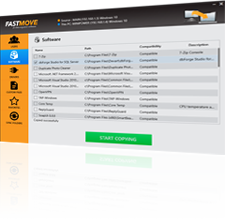
FastMove

The easiest and fastest way to set up a new PC!

Try It Nowfor FREE!Buy NowOnly $19.95!(Reg. $49.95)

screen

The ONLY software that moves users, programs, files, settings, and much more!

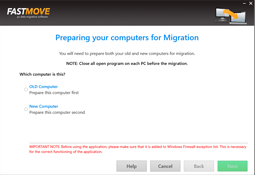
Step 1

Install FastMove®
step 1

Install FastMove on both computers, then connect them to the same network for flawless online migration. If you're not connected, use the "Offline migration" mode.

Step 2

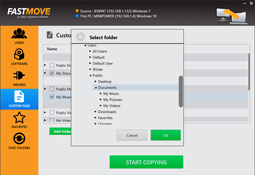
Select what you want to move
step 2

FastMove can move all types of files, including user profiles and settings, software, drivers, favorites, and files. Your software will be installed and ready to use straight away!

Step 3

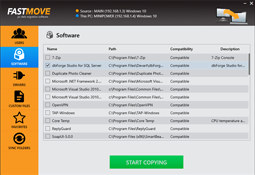
Sit back and relax
step 3

Click on the "Start Export" button and watch FastMove move everything from your old computer to the new one.
THE FASTEST WAY TO MOVE TO A NEW PC!

FastMove is the ONLY software that works online and offline to automatically move all selected data from one PC to another. You can move files, settings, user profiles, drivers and even installed programs from an old PC to your new one. Most of the applications you transfer to the new PC will be installed and ready to use right away - no need to find old CDs or download installers.

FastMove works with all combinations of operating systems: Windows 7, 8, and 10 are supported, both 32-bit and 64-versions. This means that you don't need to worry about compatibility issues. Nothing will be left behind and nothing will be deleted from the old PC.

*Applications may require you to re-enter license codes or re-activate them on the new PC. Certain system settings, drivers and applications may not be transferred due to their incompatibility with the operating system on the new PC. For more information, please check our FAQs.

Buy Now for $19.95 & Save 60% OFF the MSRP ($49.95)!

Try It Nowfor FREE!Buy NowOnly $19.95!(Reg. $49.95)

DlShield Badge